ISV Applications
Series: AppFoundry
Previous suggested step: Listings on AppFoundry
Next suggested step: Security and data privacy
The ISV applications are third-party integrations with Genesys Cloud’s billing system. Once the ISV application adheres to all standards and is set up within the Genesys Parts Catalog, the ISV application is quoted separately from the AppFoundry Partner. The Genesys Sales and Genesys Resellers quote the ISV applications within the Genesys Quoting tool.
The ISV applications are an addition to Genesys Cloud subscriptions, where usage fees are billed with the customer’s subscription. The ISV applications are not installable or usable until the customer’s subscription is fully activated. With the AppFoundry Partner’s consent, the ISV application is offered to both the direct and indirect Genesys Cloud customers as a purchase, free trial, or both on AppFoundry.
Benefits of ISV applications
The ISV applications offer the following different types of benefits to the AppFoundry Partners and Genesys Cloud customers:
- AppFoundry partner benefits
- Listed in the Genesys Cloud Product Catalog.
- Incentivize Genesys sales to sell the ISV applications.
- Access to the AppFoundry Marketing Program, which includes showcases and events.
- Ability to streamline purchases and free trials for Genesys Cloud customers.
- Preferential listing in AppFoundry (ISV Section).
- Customer benefits
- Streamline billing, resulting in a singular invoice from Genesys.
- Offer an automated installation experience over a cumbersome setup.
- Allow a curated selection of expanded capabilities to get the most out of Genesys Cloud.
Installation readiness
The ISV Application AppFoundry partners on AppFoundry can allow subscription amendments (purchases and/or free trials) to a Genesys Cloud customer subscription with zero quantity commitment. To enable subscription amendment, the AppFoundry Partners must provide the following:
- Post-purchase installation instructions.
- (Optional) Pre-purchase instructions for Genesys Cloud Embeddable Framework (GEF) applications and some ISV client applications.
Installation instructions (Pre-Purchase)
Genesys Cloud Embeddable Framework (GEF) applications require pre-purchase installation instructions to facilitate installation requirements within the target CRM. Some ISV client applications require setup before purchase.
Example pre-purchase installation instructions for a Genesys Cloud Embeddable Framework application are as follows:
Pre-requisites:
- {AppFoundry Partner GEF App Name} for Genesys Cloud
- {AppFoundry Partner GEF App Name} for Genesys Cloud has an external dependency within {External CRM}.
- Click Next for items required before beginning your free trial of this integration with Genesys Cloud.
Pre-purchase instructions (external link)
- Install the {AppFoundry Partner GEF App Name} package.
- Install the {AppFoundry Partner GEF App Name} package from the {Package Location Name} completely before starting your free trial.
Installation instructions (Post-Purchase or Get it Now)
All ISV applications require post-purchase installation instructions to facilitate a seamless purchase-to-installation experience. Before making an application available for purchase or a free trial on AppFoundry, submit the following instructions to the AppFoundry Team:
Example post-purchase or get-it-now installation instructions are as follows:
Prerequisite: Access {AppFoundry Partner Client App}
- Enable {AppFoundry Partner Client App} for your org.
- Click Next and the installation icon for {AppFoundry Partner Client App}
- Add the {AppFoundry Partner Client App Name} permission to any user role that you have to access {AppFoundry Partner Client App Name}: integration > {Permission} > view
- Set Suggested role: {Insert Role}
- Activate the {AppFoundry Partner Client App Name}.
- Click Save.
- Navigate to Apps Menu > {AppFoundry Partner Client App Name} to complete the setup post-installation.
Example post-purchase installation instructions are as follows:
Prerequisites: Access {AppFoundry Partner Client App} and provide access to {AppFoundry Partner GEF App Name}
- Enable {AppFoundry Partner GEF App Name} for your org.
- Add the {AppFoundry Partner GEF App Name} permission to any user role that you have to access {AppFoundry Partner GEF App Name}: integration > {Permission} > view
- Set Suggested role: {Insert Role}
- Add users to the {CRM Name} definition in the {CRM Name}.
Parts guidelines
The AppFoundry partners enjoy the following benefits within Genesys Cloud, including unique product(s), permission(s), license(s), public deployment of embeddable framework implementation, branded installation card, and billing automation. Once the ISV application is approved, Genesys Cloud product management provides the following:
- Product: Represents a feature-gating mechanism for installing your ISV application.
- Permission: Represents a gating mechanism, per user, to your ISV application.
- Installation Card (Optional): Represents a Genesys Cloud installer of your ISV application.
- Public Deployment of Embeddable Framework (Optional): Represents a public-interactions window for embedding in a public web application. For example, CRM.
- License (Optional): Represents a billable item in the Genesys Cloud Billing system derived from a unique permission per user of the ISV Client application.
Each component enables enablement, billing, and/or installation automation for your ISV application.
The types of billing are as follows:
ISV client applications—usage type
The two types of usage parts available for the ISV application AppFoundry partners are as follows:
- Site license: Quantity always equals one.
- User license: Usage is based on a logged-in user (Named/Concurrent/Hourly) to Genesys Cloud and the presence of the ISV applications’ unique permission (translates to a Genesys Cloud License)
ISV client applications—metered type
The two types of metered parts available for the ISV application AppFoundry partners are as follows:
- Metered sum usage: Ideal for unit types, including minutes, API hits, visits, interactions, storage gigs, and more.
- Metered high water mark: Ideal for unit types without much fluctuation, including wallboards.
ISV client applications—mimic type
The mimic part available for the ISV application AppFoundry partners is as follows:
- User license: Usage is based on the base agent license (Named/Concurrent/Hourly) count of the entire Genesys Cloud organization. The mimic type is ideal for the ISV applications whose consumption matches the base agent license count of the Genesys Cloud organization in a 1:1 ratio.
ISV parts guidelines
For simplicity, Genesys parts follow strict guidelines for automation from customer purchase and consumption to customer invoicing. To avoid complications and delays, the ISV AppFoundry partners must follow the following guidelines:
Standard offering guidelines
- Equate a singular Genesys Cloud Site License (aka Usage Type) within Genesys Cloud only to a singular SKU.
- Supported example: ISV Site License ABC with only a singular SKU regardless of any Genesys Cloud user commitment.
- Unsupported example: ISV Site License ABC with one SKU for Genesys user commitment of 100, and another SKU for Genesys Cloud user commitment of 250 and above.
- Equate a singular Genesys Cloud User License (aka Usage Type) within Genesys Cloud only to a singular grouping of Named/Concurrent/Hourly parts, and apply discounting to a singular SKU for volume discounts.
- Supported example: ISV License ABC is tabulated as a Named, Concurrent, or Hourly User, where each license is associated with a unique part.
- Unsupported example: ISV License ABC has one set (Named/Concurrent/Hourly) of SKUs for user commitment quantity of up to 100 and another set (Named/Concurrent/Hourly) of SKUs for user commitment of 250 and above.
- Equate a singular metered resource from a metered-type application within Genesys Cloud only to a singular price per unit.
- Supported example: ISV Metered ABC offering has a singular SKU for metered usage (metered sum or metered highwater) of the same offering, regardless of volume commitment. A volume commitment is set on the SKU.
- Unsupported example: ISV Metered ABC offering has multiple SKUs for metered usage (metered sum or metered high water mark) of the same offering based on volume commitment.
Combination offering guidelines
Genesys Cloud supports offerings that require or offer multiple parts.
A few examples of these types of offerings are as follows:
- A single offering is offered in two separate consumption models.
- Equate a singular Genesys Cloud User License (aka Usage Type) within Genesys Cloud only to a singular grouping of Named/Concurrent/Hourly parts, and apply discounting to a singular SKU for volume discounts; OR
- ISV Metered ABC offering has a singular SKU for metered usage (metered sum or metered highwater) of the same offering, regardless of volume commitment. A minimum volume commitment is set on the SKU.
- A single offering has a required part (aka site license) and one of the following optional or required components:
- Named/Concurrent/Hourly SKU.
- Metered SKUs.
Pricing adjustments
Pricing model updates
To ensure technical feasibility, effective timing of changes, and reduced risk to all parties, the AppFoundry product and parts team reviews and approves the changes to the pricing models. All pricing model changes require two or more of the following:
- Genesys Cloud products
- New SKUs
- New application IDs
- Premium application updates
- New premium applications.
To discuss pricing model changes, open a Deal Service Request (DSR). To open a DSR, perform the following:
- Log in to your Partner Portal account
- Select the Support tab
- Choose Partner Hub Request.
It takes 30–90 days to process, review, and move all requested pricing model changes into production.
Pricing changes
All AppFoundry premium application vendors set the unit price and discount structure of their offerings. To change the unit price per Genesys Parts Catalog Items (SKUs), open a DSR. The request is processed within five to seven business days or sooner.
Purchasing ISV Apps
Sales options
The AppFoundry partners have the following options for direct and indirect Genesys customers to purchase their applications when selling through Genesys:
- Sales-assisted: Refers to orders manually processed with a Genesys representative or Genesys reseller.
- Self-enablement: Refers to orders placed by permitted Genesys Cloud customers themselves on AppFoundry.
Sales assisted
Mostly, Genesys and Genesys AppFoundry offers are sold via the sales-assisted model. This model offers the following options not available on AppFoundry to Genesys sellers and resellers:
- Subscription commitments
- Discounts for volume commitments
- Non-standard subscriptions that require AppFoundry partner approval
- Extended free trials that require AppFoundry partner approval
- Any non-standard request.
Self-enablement on AppFoundry
Both direct and indirect customers can take advantage of purchasing any ISV application enabled for online purchasing, including free trials. All purchases completed on AppFoundry are zero-quantity commitments, essentially month-to-month subscriptions. Items procured on AppFoundry are cancelable at any time without contractual penalty. Free trials are zero-quantity commitments with a non-billable period as stated on the purchase screen. Most ISV applications and Genesys add-ons have a one-month free trial period.
Free trials
ISV Application AppFoundry partners must opt in to make their offerings available on AppFoundry for purchase or a free trial. Free trials refer to purchases of an ISV application with one month of usage unbilled. Free trials do not require any quantity commitment. You can cancel the free trials at any time in Genesys Cloud (Account Settings > Subscription) at no cost. For more information about the free trial, see free trial demonstration.
Free trials – proration
Direct Genesys Cloud customers can start a free trial of an ISV application at any point during their monthly billing cycle. The start date and end date of a free trial do not occur on the customer’s monthly billing cycle date. During the free trial period, there are no usage charges. If the customer does not cancel the subscription, AppFoundry automatically prorates the customer’s usage after the trial period completes in the second month. Proration occurs on the monthly usage price per unit (named or concurrent user).
An example proration of a free trial on a Genesys Cloud subscription is as follows:
Subscription information
{
    "premiumApplication": "12.99",
    "trialStartDate": "2019-7-19",
    "trialEndDate": "2019-08-18",
    "billingCycleStartDate": "2019-7-14",
    "billingCycleEndDate": "2019-8-13"
}
For example, consider the date from August 19 to September 13. The second month’s usage is 25 days out of a possible 31 days. The monthly user price is prorated to ((25/31) * $12.99) = $10.48 per licensed user consumed. The usage from the third month and beyond is billed at the standard $12.99 per licensed user consumed.
Free trial status check
AppFoundry partners can check the status of a customer’s subscription for a free trial status by a simple public API request as follows:
GET v2/billing/premiumapplistings/{appId}
Response (abbreviated)
{
    "appId": "appId",
    "customerName": "ABC Internal Testing Company AppFoundry Customers",
    "currency": "USD",
    "offerings": [
        {
            "partNumber": "GENERIC",
            "partName": "GENERIC",
            "description": "GENERIC",
            "monthToMonthPrice": "17.9900",
            "annualMonthToMonthPrice": "15.9900",
            "annualPrepayPrice": "14.9900",
            "type": "usage"
        }
    ],
    "isPartnerSale": false,
    "customerBillingCycleDay": "24",
    "freeTrialLength": 1,
    "freeTrialLengthUnit": "month",
    "subscriptionType": "PREPAY",
    "isConcurrentPureCloud": false,
    "isAppOnSubscription": true
}
The key fields to inspect are isAppOnSubscription == true and previousFreeTrialDate. The key fields are to be set. If previousFreeTrialDate is not set, then the customer has a sales-assisted subscription.
Cancellations of purchases and free trials
As mentioned earlier, a free trial is a subscription that constitutes a zero-quantity commitment to an ISV application. As a zero-quantity subscription line item, customers can cancel the subscription at any time without hassle in the Genesys Cloud (Account Settings > Subscription page). During the trial period, customers are unbilled if they cancel the free trial. Standard cancellation rules and processes apply for subscriptions with a commitment quantity.
Vendor notification
AppFoundry is available 24/7 for self-service ISV application free trials or purchase initiation. Upon successful subscription amendment, including an ISV application, the ISV application vendor gets a notification email. A successful subscription amendment includes the following:
- Sales-assisted: Refers to a free trial or regular subscription amendment (aka typical purchase).
- Self-service: Refers to customer self-service enablement on AppFoundry. The AppFoundry vendors get the standard win/loss report every week.
Partner support request
Genesys AppFoundry partners can raise a partner support request for any questions related to the AppFoundry partnership within the Partner Portal.
A few examples of requests are as follows:
- Need help with understanding how to list an application on the marketplace.
- Need help with quotes, opportunities, SKU pricing, or discounts.
- Have questions or problems with payments or invoices.
- Update partner contacts, business information, and agreements.
Process for case request or process
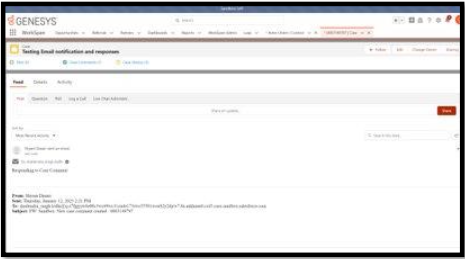
To raise a case request or process, perform the following:
- Log in to your Partner Portal account.
- In the top right corner, click Support > Partner Support Request. You are redirected to the Partner Support Request page.
- In the top right corner, click New. The New Partner Support Request page appears.
- Enter or choose the required details.
- In the Opportunity field, click the look-up button and search for the related opportunity.
- In the Subject field, enter a topic, issue, or concern.
- In the Category Type field, choose a support group, such as Partner Management & Support, Billing & Finance, or Systems & Tools Maintenance, from the drop-down menu.
- In the Sub Category Type field, depending on the support group settled under the Category Type field, select the specific issue or concern that you are reporting from the drop-down menu.
- In the End User Account field, search for the related account or create a new account.
- In the Case Reason field, select an option from the drop-down menu.
- In the Description field, provide details of the issue or concern.
- To attach a file, click the Upload File link.
- Click the Submit button. A summary of your request is prompted.
- Click the Case Number link to access the details of your case.
Submission checklist
ISV client submission checklist
Before submitting your ISV application, review and include the following:
- Required URLs, including Terms of Service URL and Help URL.
- Your installation URL using the Genesys Cloud Clients SDK, including language and environment variables.
- Required metered operational details, including Terms of Service URL and Help URL.
ISV client demonstration checklist
The AppFoundry team reviews the following items for ISV approval during the approval meeting:
- Ensure application loading in the Genesys Cloud Apps menu.
- Ensure that SSO is functioning properly while setting up the application for Genesys Cloud users.
- Ensure that the ISV application URL has the environment and language variables.
- Ensure that the ISV application updates the static definition URL to the customer-specific URL.
- Remove visible Genesys or AppFoundry logos.
- Ensure that the breadcrumbs in the upper left side corner are updated.
- Ensure that the application checks the Genesys Cloud ISV application product.
- Ensure validation of the following monetization mechanisms:
- Usage applications: Validate users with proper permission or license while accessing the ISV application.
- Metered applications: Validate metered usage reporting.
ISV client post-submission checklist
The AppFoundry team provides the following items to the ISV application AppFoundry partners:
- Genesys parts.
- Genesys parts live in the Genesys Parts Catalog.
- API Key for the Genesys Cloud Usage APIs. For more information, see the premium AppFoundry partner usage.
- ISV application ID.
- Genesys Cloud product or permission and/or license.
- Pre or post-installation instructions for offering a free trial on AppFoundry.
Genesys Cloud embeddable framework submission checklist
The checklist for Genesys Cloud embeddable framework submission is as follows:
- Develop and test the application locally.
- Develop and test the application using a private deployment (optional).
- Demonstrate the solution and get it approved by the AppFoundry Team.
- Complete AppFoundry listing.
- Submit Pre or post-installation instructions for offering a free trial on AppFoundry.
Application review process
After completing the checklist, submit your framework.js file to appfoundry@genesys.com. You can either include a link to the accessible source code repository or rename the extension to .txt and attach the file in the email.
Your application review fails due to the following:
- Outside libraries in the framework.js file.
- Direct API calls or credentials in the framework.js file.
- Unscoped (that is, “*”) Windows post messages.
- Submissions that are visually indistinguishable from existing Genesys-provided integrations, including SFDC, Zendesk, and Chrome or Firefox extensions.
- Manipulation of the PEF DOM.
Best practices
A few best practices to be followed are as follows:
- Keep the framework.js file as lightweight as possible. It is intended as a simple communication layer between the Embeddable Framework Client and your code running in the host application.
- Ensure that all business logic, including screen pop execution, call log writing, and business process automation, is contained in your code running in the host application.
- Ensure that all business logic is not placed in the framework.js file.
These best practices provide you with more control over the code deployment in the host application and keep up with API changes and new feature additions while remaining backward compatible with the deployed framework.js file.
Deployment
Deployments are done at any time after the file is submitted for review. You must account for the deployment in your host application code, aided by keeping your framework file as lightweight as possible.
After the application’s initial review, update the redirect URLs in your OAuth client. For more information about deployment, see Deployment.
Style guide
As Genesys values your functionality and brand, Genesys provides the style guide and resources to assist you in integrating your application into Genesys Cloud more smoothly.
Brand and content templates
The various types of templates available are as follows:
Template 1
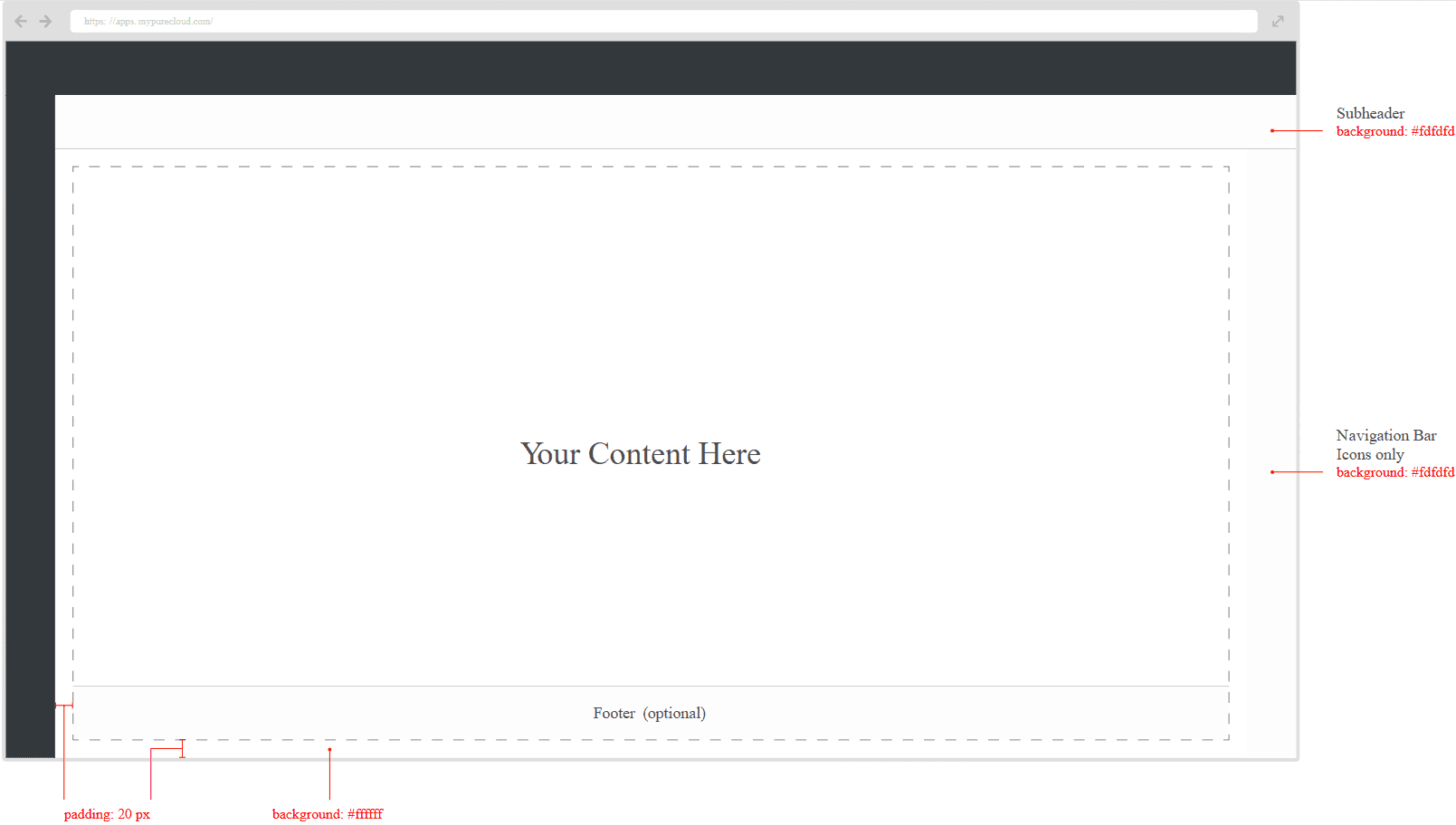
Template 2
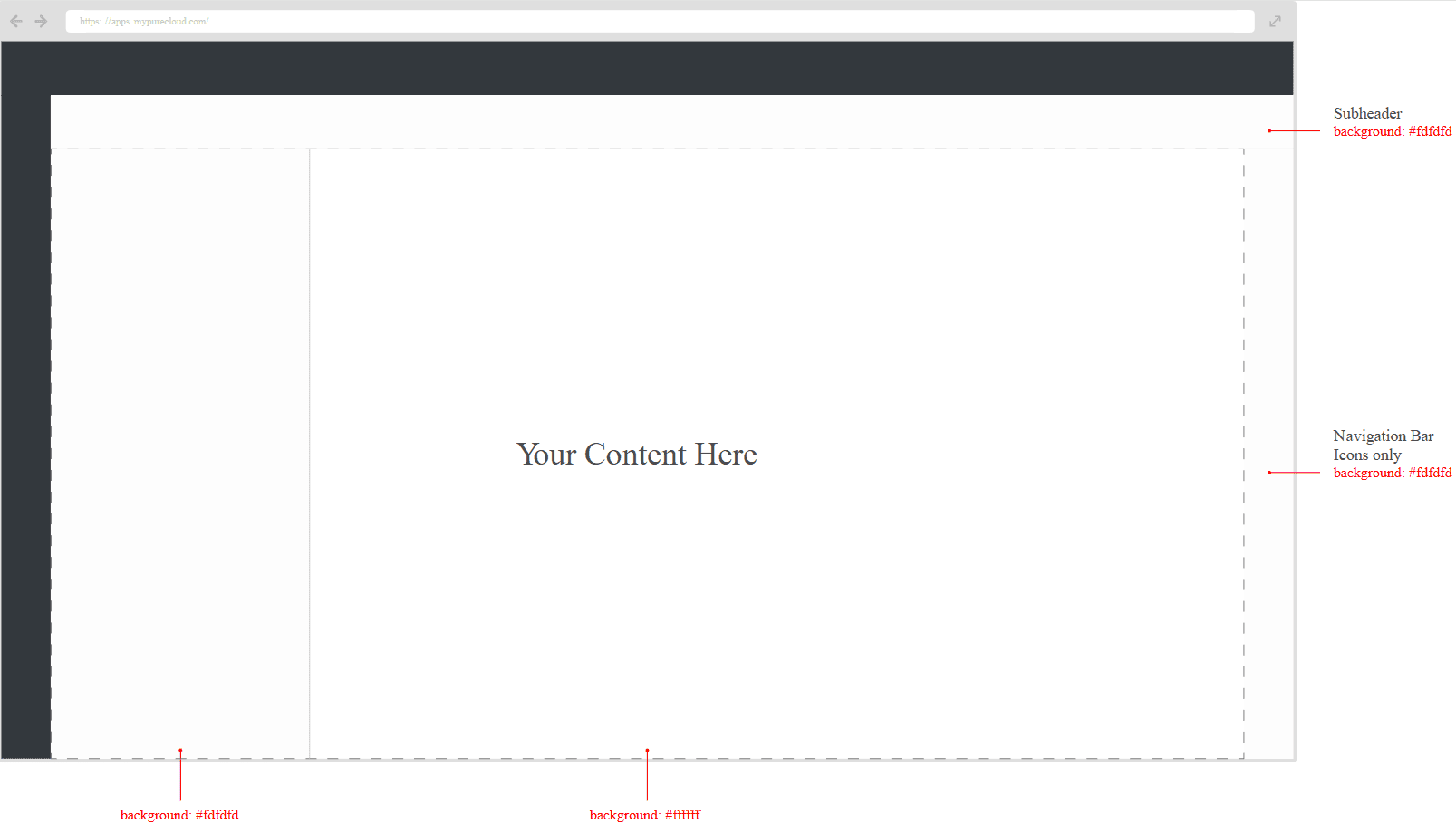
Template 3
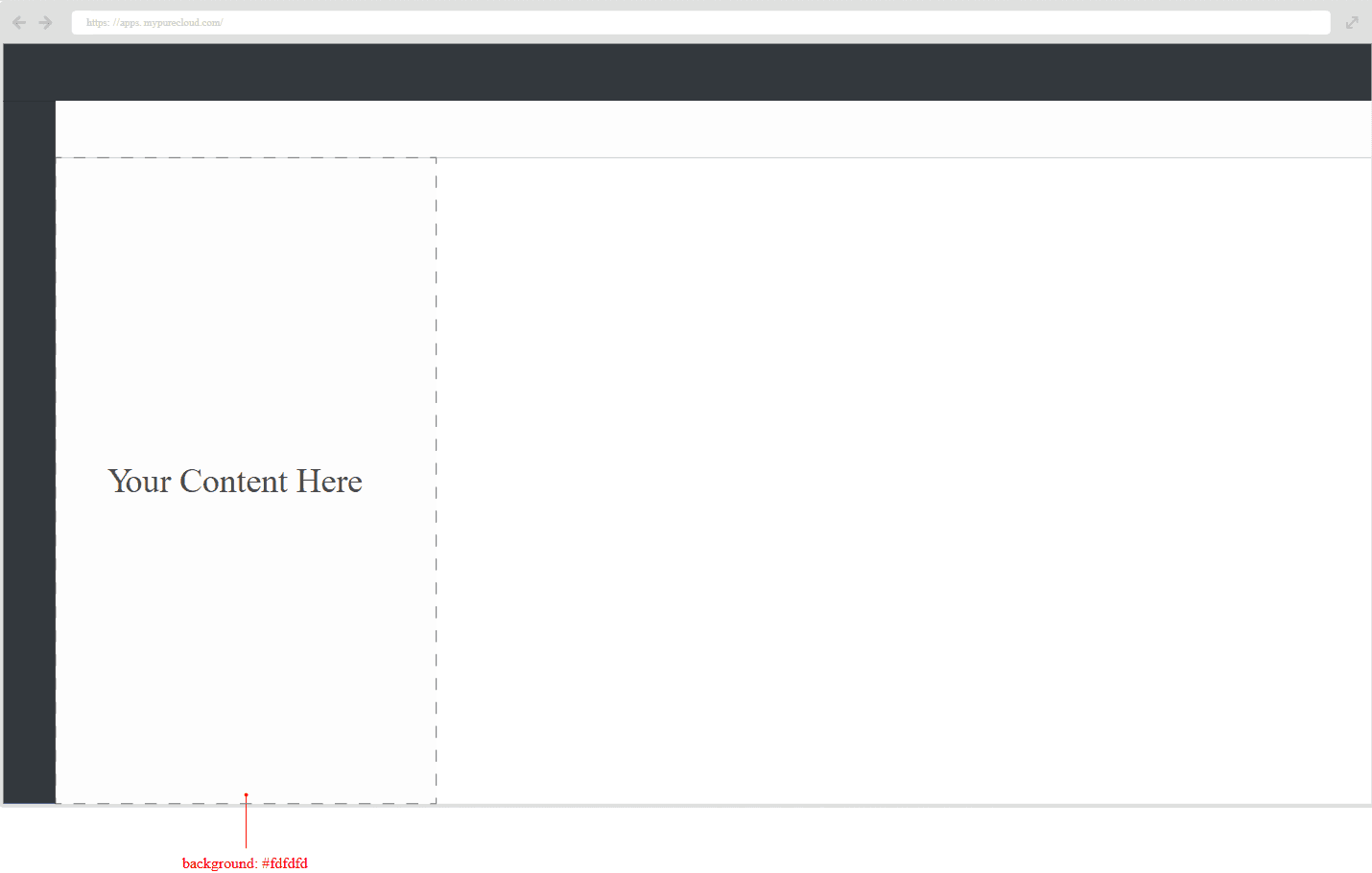
[NEXT] Was this article helpful?
Get user feedback about articles.