Customize activity code colors
Activity code colors help schedulers and agents quickly identify activities across schedules, work plans, adherence views, and other supported Workforce Management experiences.
By default, activity codes use the Genesys Cloud system colors. Administrators can customize activity code colors to align with organizational standards, improve schedule readability, or visually distinguish similar activities.
Configure custom activity code colors at the business unit level. The selected colors appear wherever supported Workforce Management views display the activity.
How activity code styling works
Each activity code uses one of the following styling options:
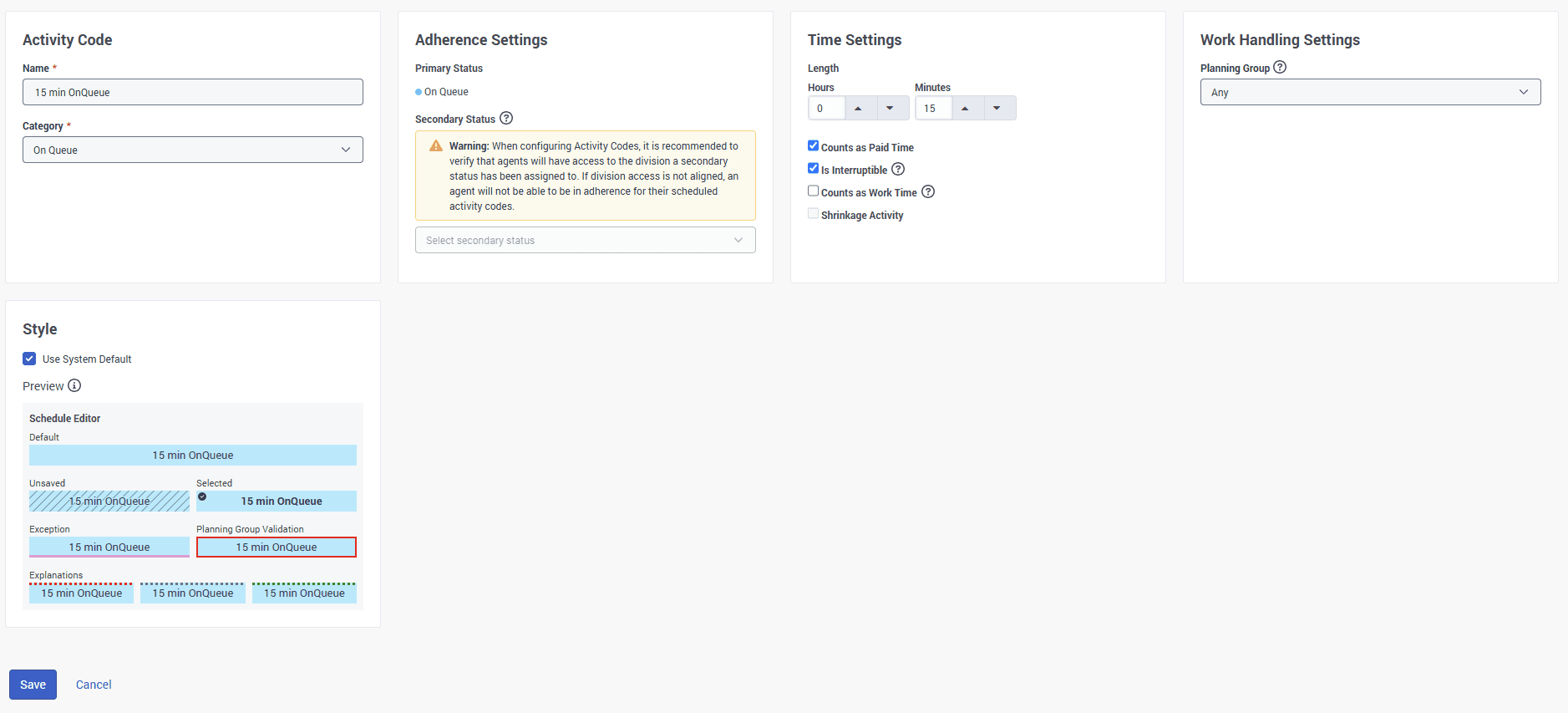
Customize activity code colors
You can customize the appearance of a single activity code or apply the same styling to multiple activity codes. Use the following procedures to configure activity code colors based on your requirements.
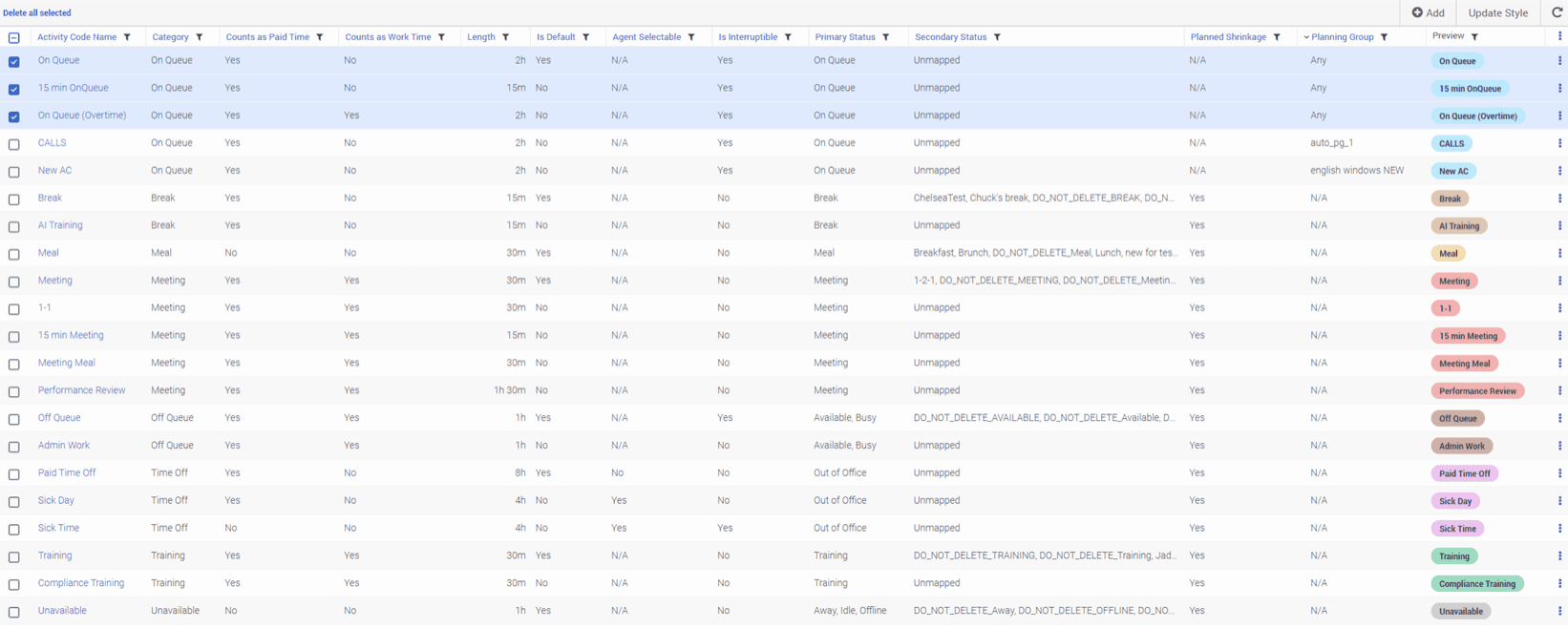
Configure styling options
Configure the styling options to customize how activity codes appear across supported Workforce Management experiences.
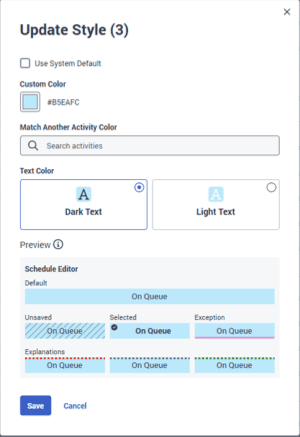
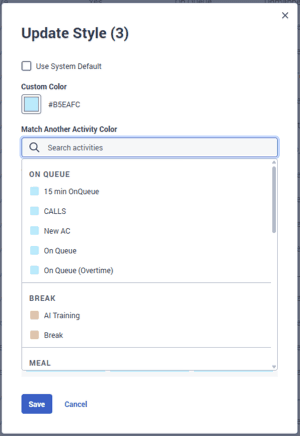
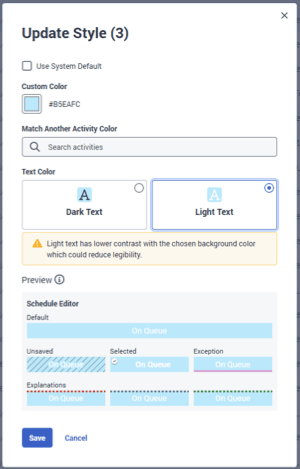
Where custom colors appear
Custom activity colors appear throughout supported Workforce Management scheduling experiences, including:
- Schedule editor – Displays custom activity code colors. Selected activity codes are identified by a check mark.
- Agent schedule view
- Team view
- Work plans
- Agent home schedule widget
- Learning and coaching scheduling view
- Gamification scorecard
- Activity counts
- Historical shrinkage
- Schedule bidding
- Adherence-related views
- Tempo schedules (mobile)
Some experiences display calculated variations of the configured color to indicate selected states, overlays, highlights, or team views.
Accessibility considerations
Genesys Cloud automatically selects a text color that provides the best contrast for readability. Administrators are responsible for choosing activity colors that provide sufficient visual distinction for their organization. Very light or visually similar colors can reduce readability in some schedule views. Before you save your changes, use the preview controls to verify how the activity appears across supported schedule states.
Audit history
Workforce Management records activity code styling changes in the audit history. Audit records include:
- User
- Timestamp
- Background color
- Text color selection
[NEXT] Was this article helpful?
Get user feedback about articles.