Concepts for the data actions integration
Several key concepts are helpful for understanding how the integration works. The diagram illustrates the relationship between these concepts.
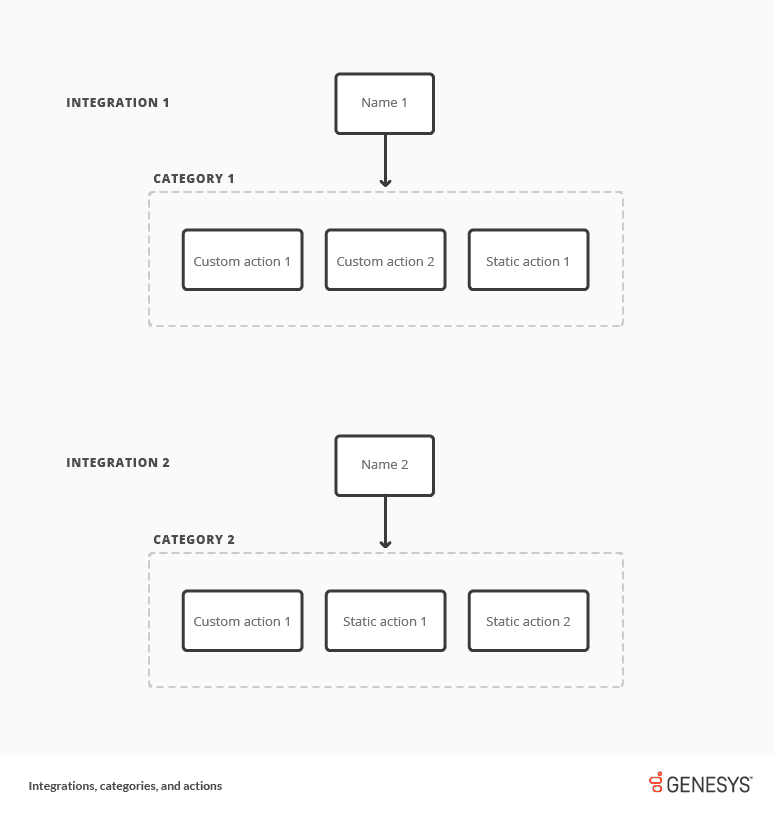
An asterisk (*) denotes concepts that appear in the diagram. Bold denotes terms explained in this article.
Names*
Names are the names of the integrations that you add and configure in Genesys Cloud. These names are also the names of categories used throughout Genesys Cloud to refer to the integrations and their associated data actions.
Categories*
Categories are collections of related data actions (static actions and custom actions). Categories help you find data actions related to a particular integration when you create an interaction flow in Architect, design a script, or use another Genesys Cloud application. Category names match the names of the integrations in your Genesys Cloud organization.
Data actions
Data actions allow you to access data from a web service and perform tasks with that data (such as adding specific customer data to agent scripts). Data actions are divided into static actions and custom actions.
Static actions*
The following integrations do not provide static actions:
- AWS Lambda data actions
- Function data actions
- Genesys Cloud data actions
- Google Cloud data actions
Use the following static data actions for these integrations:
Custom actions*
Custom actions are a type of data action that administrators create. Custom actions allow you to retrieve, update, or create any data. With custom actions, you can act on data from your functions, platform or CRMs within interaction flows in Architect, through agent scripts, or via other Genesys Cloud applications.
[NEXT] Was this article helpful?
Get user feedback about articles.