View users from other organizations
Users from other organizations can create new or modify existing flows in your organization if an administrator has:
- Established a secure relationship with the other organization
- Authorized the users to work in your organization
- Assign appropriate permissions to the users
For more information, see About authorized organizations.
In Architect, visual indicators appear when an authorized user from another organization works with flows in your organization. If the authorized user checks out a flow, a user icon appears next to the user name in the flow list:
Hover over the icon to view details about the user, including confirmation that the user is trusted and the organization to which the user belongs: 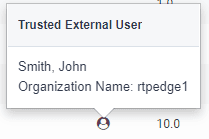
You can also view external users from the Available Versions dialog: 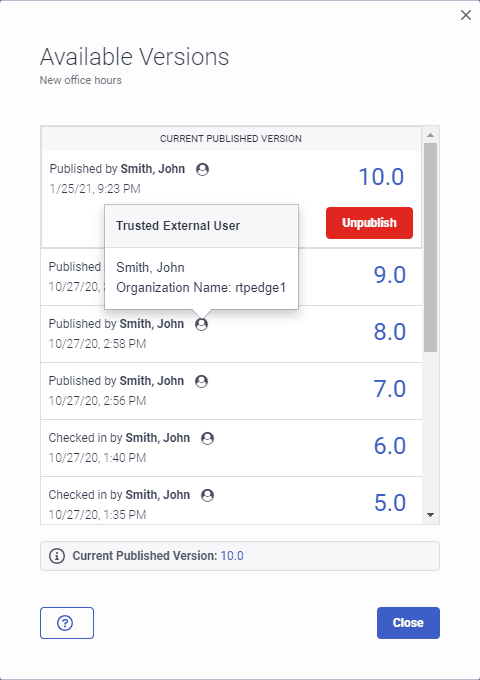
[NEXT] Was this article helpful?
Get user feedback about articles.