Differences between Journey Management and journey flows
Genesys Cloud provides two complementary capabilities for customer journey analysis: journey flows and . Together, they help you move from understanding how a flow behaves to analyzing how customers progress through journeys.
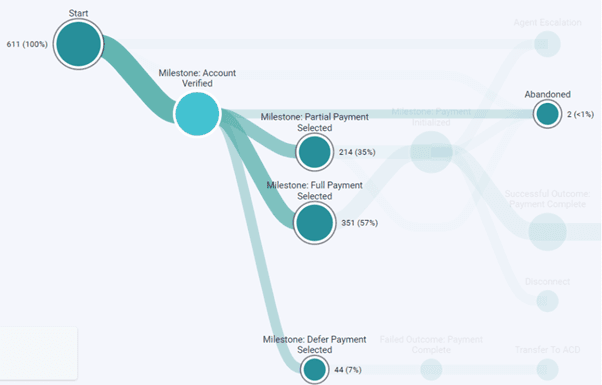
- Journey flows provide an immediate view of a single flow, showing how interactions move across paths, milestones, and outcomes. For more information, see Journey flows overview.
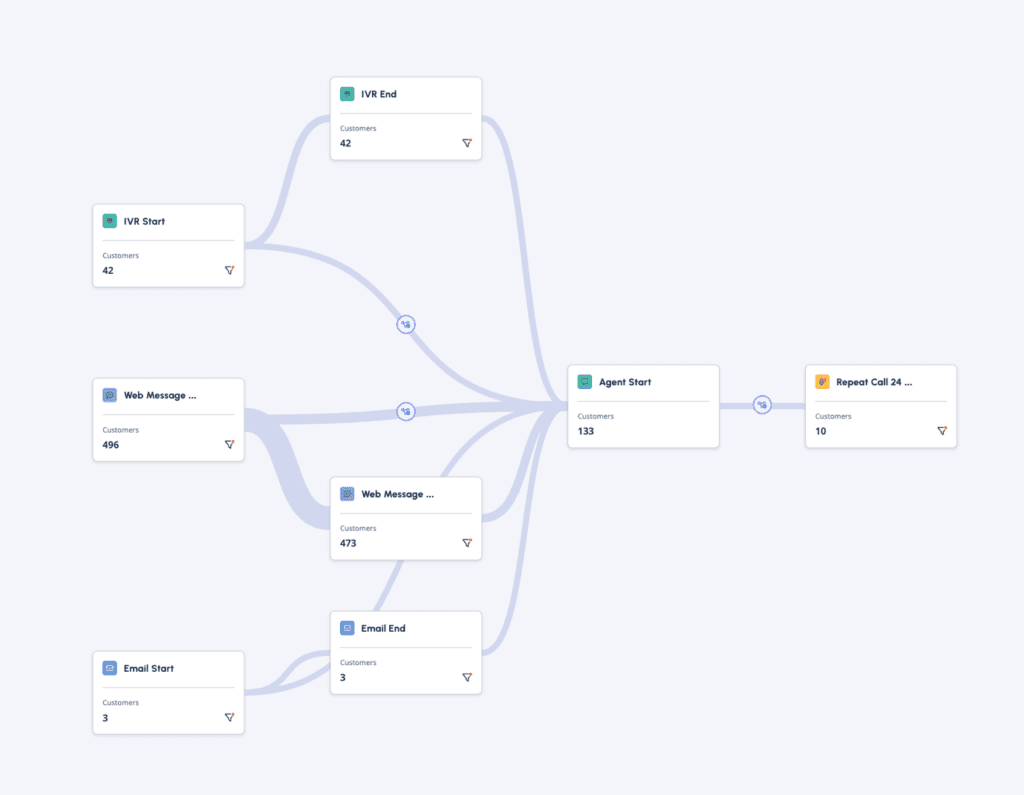
- Journey Management visualizes, measures, monitors and simultaneously optimizes CX, EX, and business performance by focusing on the journeys your customers take as they seek to achieve a goal. Users can drag and drop events on to the canvas and plot the sequence of events across channels that measure how customers are progressing through a journey. For more information, see About Journey Management.
Key differences
See the main differences between Journey Management and journey flows in the following table.
| Characteristics | Journey flows | Journey Management |
|---|---|---|
| Enablement | Available in Architect. | Available as an additional capability, either integrated or as an add-on in Genesys Cloud. |
| Scope | Single flow. | Crossflow and cross-channel. |
| Focus | Flow execution paths. | Customer behavior. |
| Data used | Focuses on flow executions within a single flow.
| Focuses on customer behavior across many connected flows.
|
| Counts | Counts are directional and not intended to be exact.
| Counts are designed for analysis.
|
| Time range | Seven days of data. | Starts with up to 90 days and can extend to 400 days. |
| Visualization | Sankey view of nodes and paths within a flow | Canvas view using event cards across a journey. |
| Interaction model | View-only; filtering limited to various exit reasons. | Interactive; users can build, filter, and analyze journeys. |
| Purpose | Understand how a flow behaves and identify common paths and friction points. | Analyze how customers move through journeys and measure outcomes across steps. |
Use journey flows and Journey Management together
Journey Flows and Journey Management are designed to be used together. Start with Journey Flows, in Architect, to understand how a flow behaves and identify common paths. Then use Journey Management to analyze how customers progress through key steps and outcomes. You can also begin your analysis directly from a flow:
- Click Menu > Journey Management.
- Click Import Flow.
- Select a published flow.
- Review the flow in the Sankey view.
- Select the nodes that you want to analyze.
- Click Add to Journey.
- Click Save and Calculate to view results.
[NEXT] Was this article helpful?
Get user feedback about articles.