Configure PBX passthrough for a BYOC or External SIP trunk
When you configure a BYOC PBX trunk or an or External SIP trunk, you can enable the PBX passthrough feature to allow your PBX to pass calls intended for the PSTN directly through Genesys Cloud. This feature eliminates the need to maintain a separate PSTN just for PBX calls, thus reducing cost, simplifying configuration, and improving call efficiency.
More specifically, the PBX passthrough feature allows Genesys Cloud to use the Site’s Number Plan and Outbound Routes configurations to route inbound calls when the destination address is not a Genesys Cloud object: user, station, or IVR flow.
For example, a third-party PBX user can dial an E.164 number for a customer and the call routes to Genesys Cloud. Genesys Cloud recognizes the call as an external destination and routes the call out a BYOC Cloud carrier, an External SIP, or a Genesys Cloud Voice trunk.
PBX passthrough requires that either the inbound or outbound trunk must be a PBX trunk. PBX passthrough between two carrier trunks is not supported.
If you need more information about any of the settings on the Create/Edit External Trunk page, see External trunk settings.
- Click Menu > Digital and Telephony > Telephony > Trunks.
- Click the External Trunks tab.
- Click the trunk you want to configure.
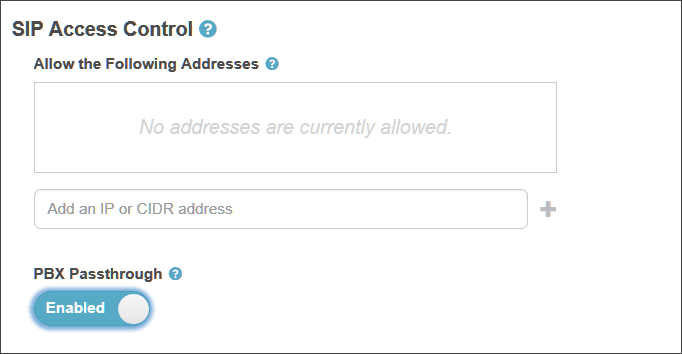
- Under SIP Access Control, enable PBX Passthrough.
[NEXT] Was this article helpful?
Get user feedback about articles.