Work with list pickers in bot conversations
When you choose to use a list picker in an Ask for Slot action and select a slot, Architect populates a section and lists the items configured in the selected slot. You can add more sections and further customize each section with a unique list of items. The customization options include:
- Order of display of sections
- Order of items in each section
- Item image, title, and subtitle
- Toggle between single-selection and multi-selection modes
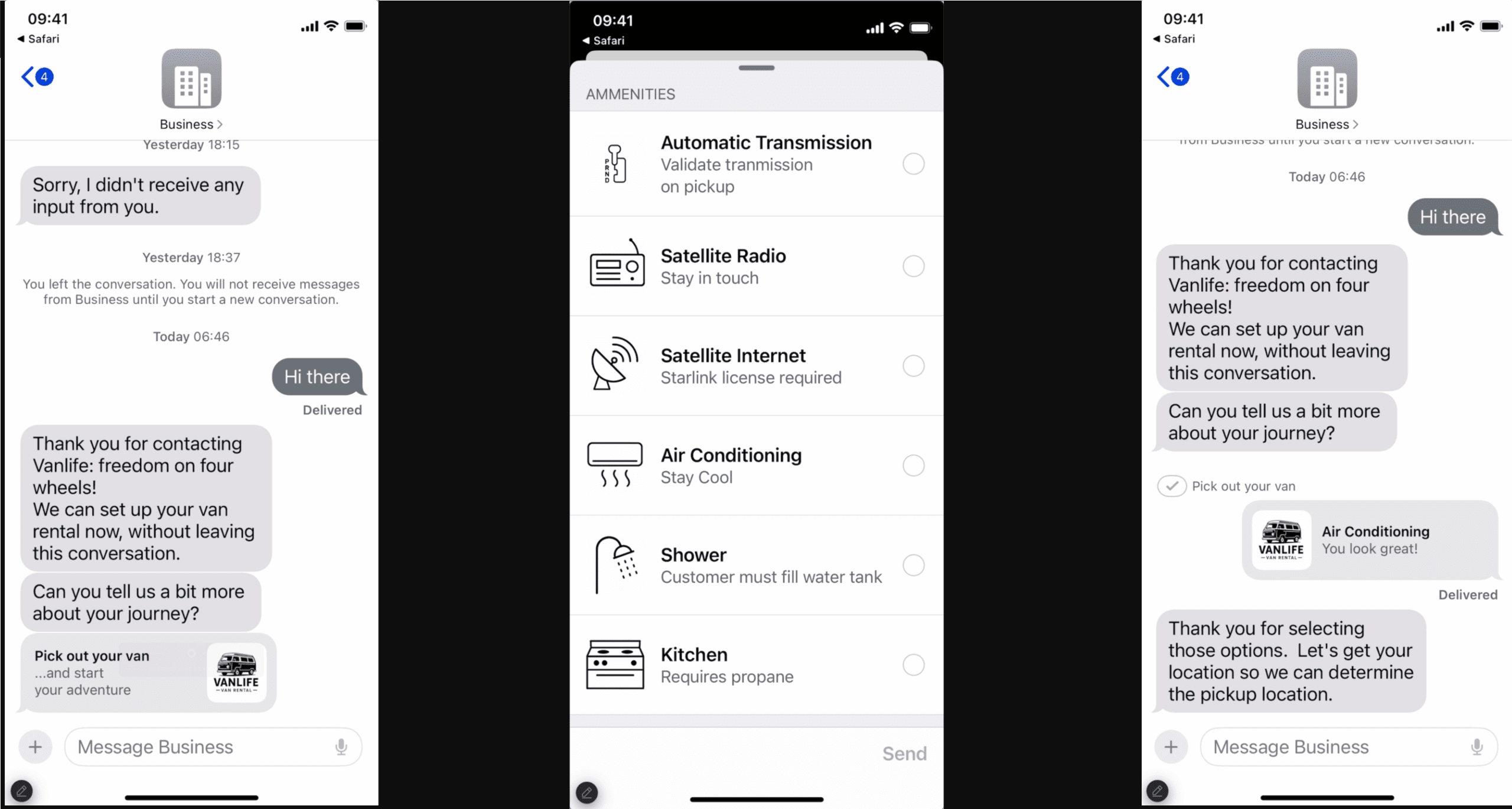
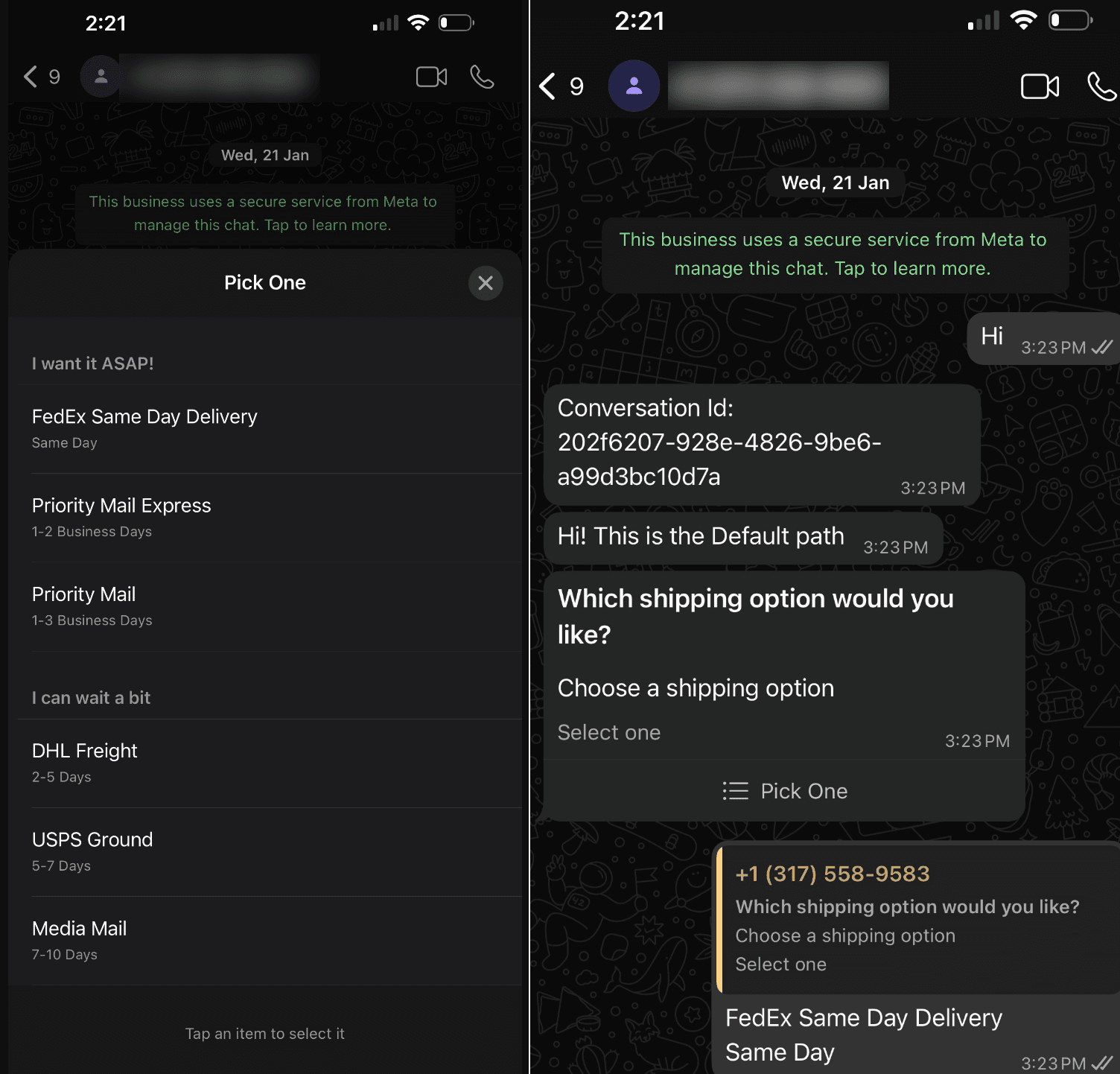
Bot and channel support
Currently supported bots:
- Genesys Digital Bot Flows
Currently supported channels:
- Genesys Web Messenger
- Apple Messages for Business
- Open Messaging Note: Before you can use this feature in Open Messaging, you must first create a configuration profile and select the appropriate list picker message type. Then, assign it to your open messaging integration. For more information, see Create and assign a configuration profile.
Considerations for list picker implementation
User device capability
Before you add the Ask for Slot action (with list picker presentation), identify whether the user’s device can handle list pickers. To confirm the device capability, you can use the expression,(FindString(Flow.deviceCapabilities,"LIST") > 0, for example, in a Decision or Switch action before the Ask for Slot action.
Limitations
When you design and implement a list picker in your bot replies, consider these limitations:
Apple Messages for Business
When including images, ensure that the total payload size of the list picker stays under 5 MB, and each individual image does not exceed 200 KB in size. Also, ensure that your images have unique names when using multiple images.
- WhatsApp does not support images in list pickers.
- WhatsApp shows the section subtitles only when there are multiple sections configured in the Ask for Slot action. The user’s device does not show the subtitle if there is only one section.
- In WhatsApp messages, the list picker supports up to 10 sections, with a total of up to 10 rows across all sections. Although the system allows bot authors to configure more than 10 items, it sends only the first 10 items. The list picker can also include an optional header and footer.
- The bot participant can select an option from a list picker message multiple times, even after the first instance. The bot captures and receives each selection as a separate response.
[NEXT] Was this article helpful?
Get user feedback about articles.