Flex meal and break times overview
Flex meal and break times allow agents to adjust the timing of scheduled meals and breaks within their shifts. Instead of asking supervisors or workforce management teams to update their schedules manually, agents can independently select alternative times that better suit their needs.
Workforce management (WFM) validates available options against operational constraints, including service-level targets and staffing requirements. This flexibility allows agents to adjust their schedules while helping the organization maintain performance and adequate coverage.
Benefits of flexible meal and break times
Common use cases
Agents can use flexible meal and break times in the following scenarios:
- Take a meal later because of a personal commitment.
- Take a break earlier because of workload or fatigue.
- Make a minor schedule adjustment without contacting a supervisor.
Contact centers can also use this capability to reduce the administrative effort associated with schedule changes.
How flexible meal and break times work
The following process describes how agents move scheduled meals and breaks:
- The agent selects an eligible meal or break.
- WFM generates alternative times based on service-level and scheduling constraints.
- The agent selects one of the suggested times and submits the request.
- WFM validates and processes the request.
- If WFM approves the request, it updates the agent’s schedule.
Agents can select only the times that WFM suggests. Sometimes, WFM does not offer alternative times because the existing scheduled time is the only option that meets operational requirements.
Administrator configuration
Administrators can configure flexible meal and break for individual management units and then define the activities and constraints that apply to schedule changes.
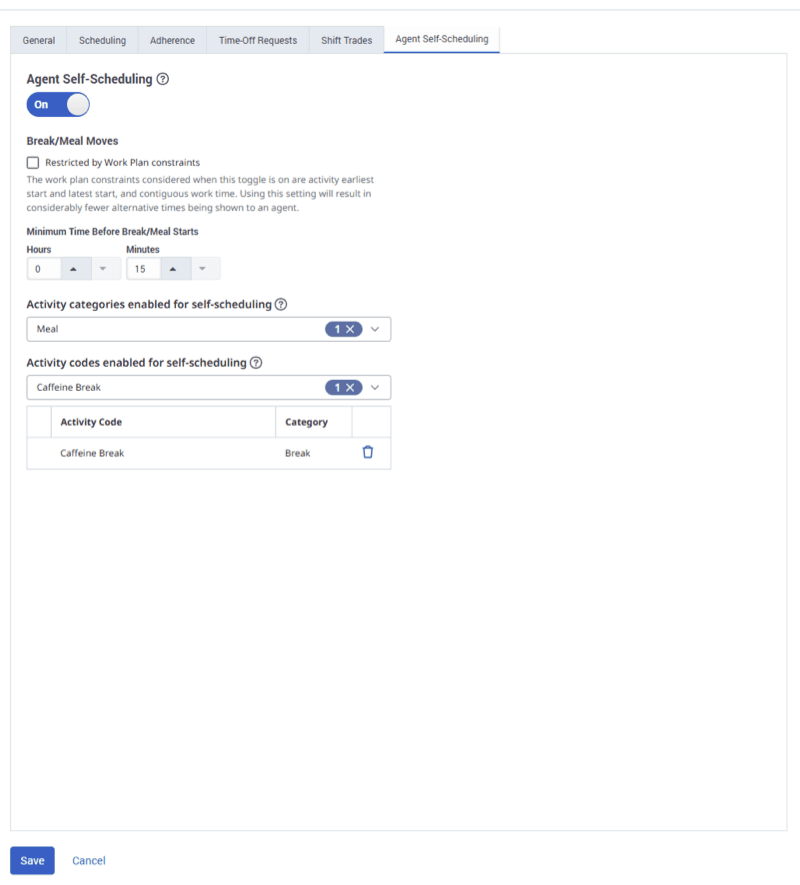
Move a meal or break
Agents can move eligible meals and breaks from their schedules using the Schedule Changes panel. You can open the panel in two ways:
- Directly from a meal or a break in the schedule.
- From the Schedule Changes button.
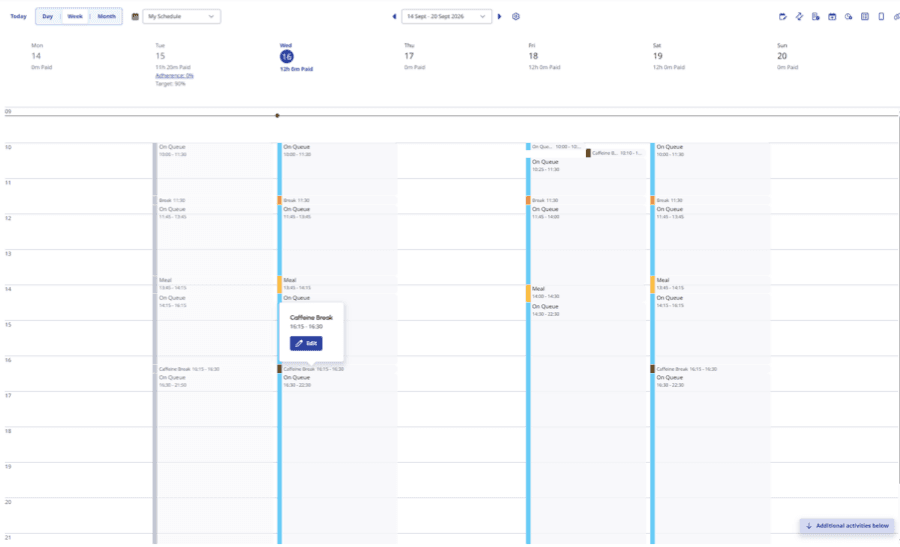
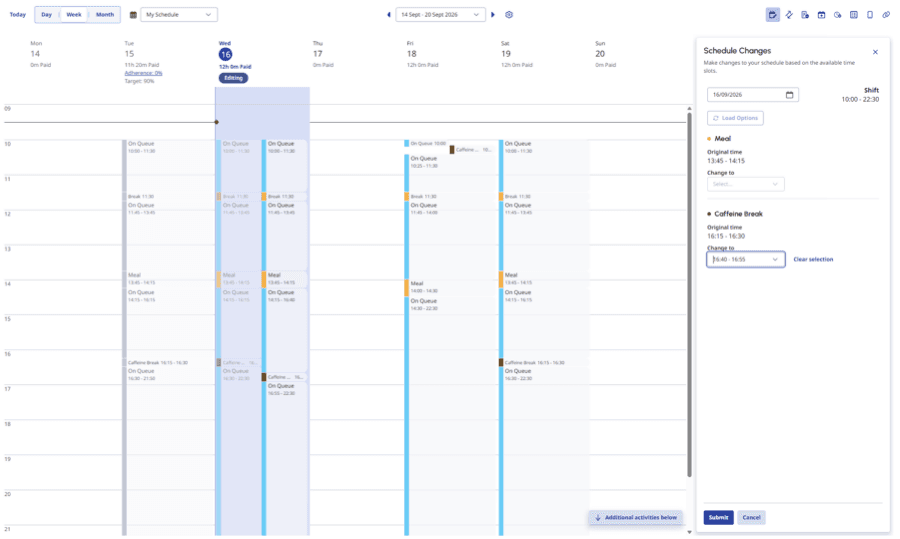 Schedule Changes panel on the
 Processing and approval behavior
When an agent submits a request, WFM processes it alongside other requests and determines which combination best maintains operational requirements. WFM:
- Processes requests in batches.
- Evaluates competing requests together.
- Approves as many requests as possible while maintaining operational performance.
- Prevents conflicting or overlapping changes.
While WFM processes a request, the agent cannot submit another flexibility change for that shift through the same workflow. Supervisors and administrators can continue to update the schedule.
Limitations and considerations
Consider the following limitations and behaviors when you configure or use Flex Meal and Break Times:
Best practices
To provide agents with schedule flexibility while maintaining operational requirements:
- Enable Flex Meal and Break Times gradually and expand access as appropriate.
- Carefully select the meals and breaks that agents can move.
- Configure appropriate time limits to prevent last-minute changes.
- Enable work plan constraints when schedule changes must comply with work plan rules.
- Review interruptible activity settings to prevent unexpected schedule changes.
[NEXT] Was this article helpful?
Get user feedback about articles.